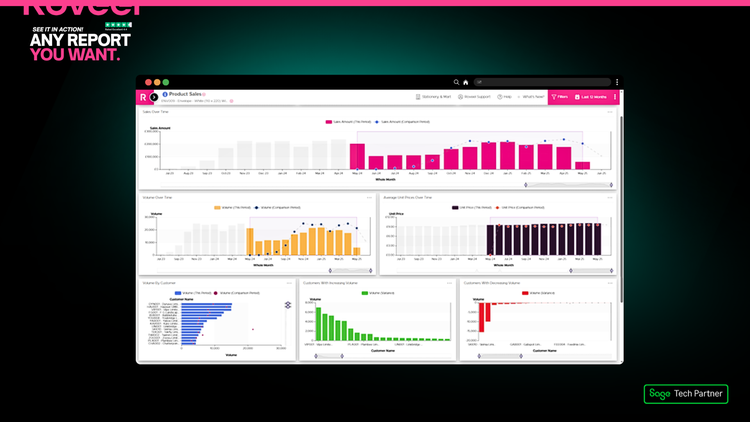
Bring Your Data To Life
Easily access your ready-to-go dashboards for your entire business

Any Report You Want
- No limits, no manual spreadsheets.
- All in one easy-to-use, cloud-based dashboard.
- Get the insights your business needs, exactly the way you want them.
- With Roveel, you can create any report you need from your Sage Accounting, Sage 50, or Sage 200 data.
- Whether it’s sales analysis, cash flow, P&L, stock reports, or customer insights, Roveel turns your raw Sage data into custom, actionable reports in minutes.
Mobile Access
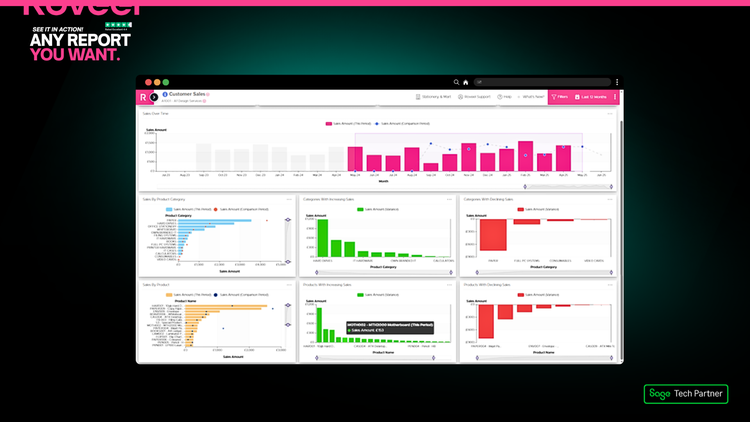
Out of the box dashboards that transform your Sage reporting into insightful graphs and charts. Get instant visibility over how your business is really performing with Roveel’s prebuilt visualisations. No need for clunky excel spreadsheets or extensive worksheets, Roveel instantly extracts your Sage data in a format that displays what is most important to you in your business.
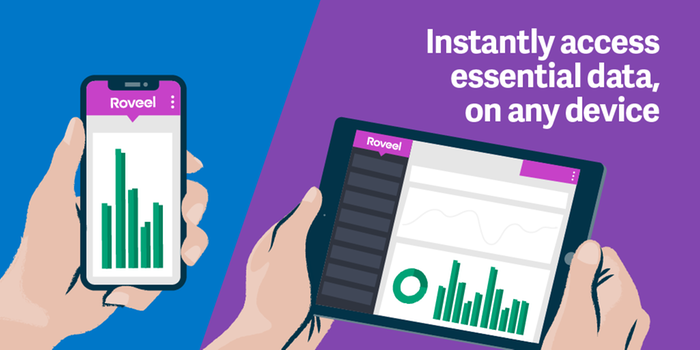
Access on any Device
- Access your Roveel dashboards and reports anytime, anywhere, on desktop, tablet, or mobile. Stay connected to your:
- data and make informed business decisions on the go.
- Sage 200
- Sage 50
- Sage Accounting
Custom Dashboard Design Service
Roveel offers a bespoke dashboard design service which is tailored to your requirements. For a one-off fee starting from £500, the team will create a bespoke dashboard to meet your needs. Examples include powerful Sales Order dashboards, Project analysis, Departmental summaries, KPI dashboards, Cashflow reporting and many more. If the data is stored in Sage, we can help you interpret the numbers and drill into the detail.
- If the data is stored in Sage, we can help you interpret the numbers and drill into the detail.
- Sales Order Dashboards
- Cash reporting and many more.
- KPI dashboards
- Departmental Summaries
- Project Analysis
Save Hours
Saves 100's of hours with Roveel
Save hundreds of hours annually, make faster decisions, and streamline business reporting.
- Fast Setup: Get connected and exploring data within an hour.
- Automated Reports: Eliminates repetitive manual exports and spreadsheet work.
- Interactive Dashboards: Drill down from high-level metrics to individual transactions instantly.
- Cloud Access: Teams can view up-to-date reports anywhere, reducing delays and back-and-forth.
- Error Reduction: Automation ensures accurate, consistent reporting without human mistakes.
- Customisable Dashboards: Pre-built or tailored dashboards show only the insights you need.
Unlimited Users - One Price
One simple monthly price per month - for your whole business ~ unlimited users!
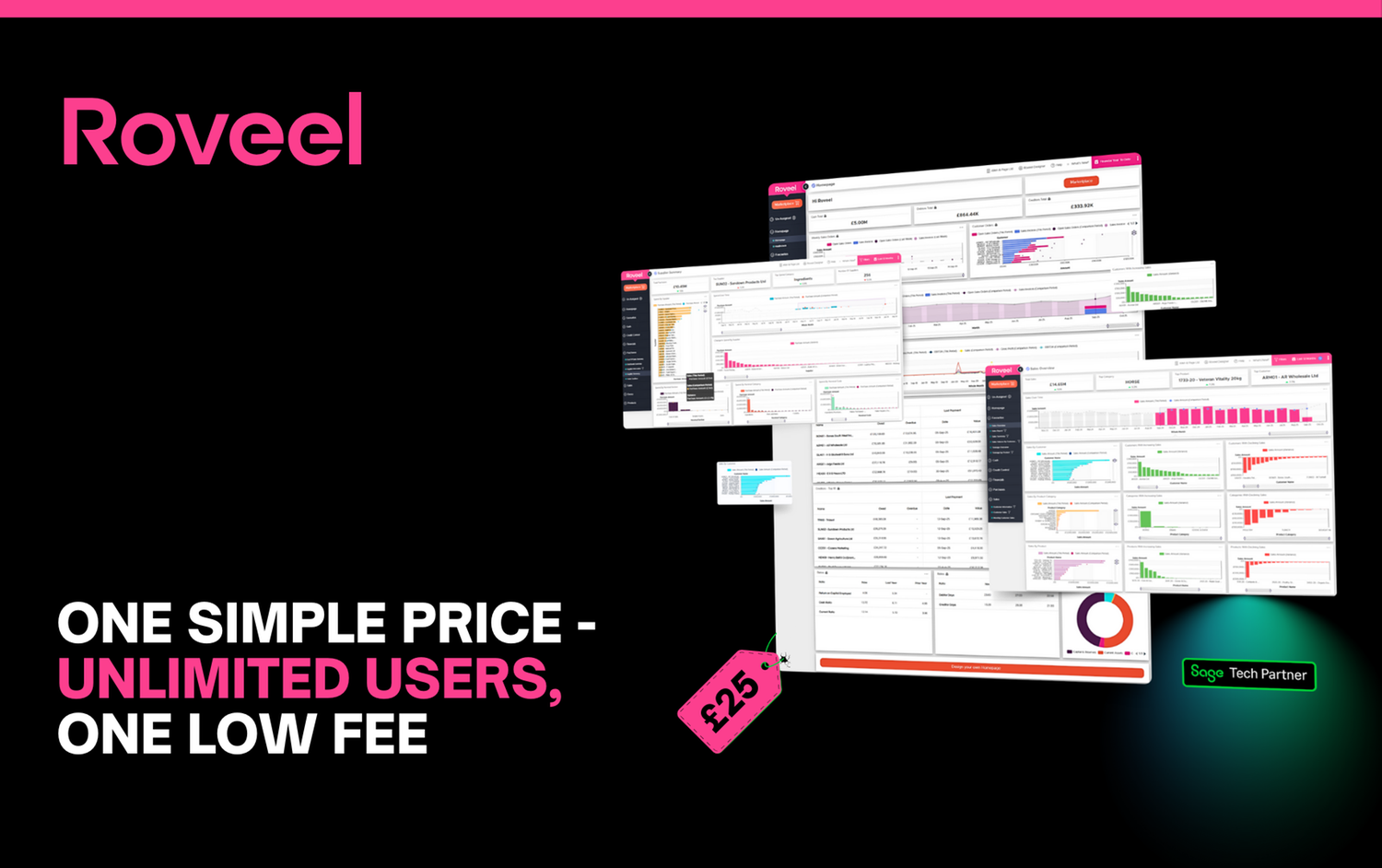
- Great value for growing businesses - this pricing model makes it easy to bring on new team members without worrying about extra software costs.
- Simple, predictable pricing - one flat monthly cost, no surprises. Whether you have ten users or a hundred, you don’t pay more.
- All-in access for your whole team - every user in your company can log in, view dashboards and generate reports, no extra charges per seat.
- Starting from just £25/month: that’s all you need to get full access with unlimited users on Sage Accounting or Sage 50.
Quick & Easy Setup
Takes just 5 minutes to setup. You will be able to explore your business using Roveel typically within the hour.

- No training required: The platform is designed for business users of all technical levels. There’s no steep learning curve or IT support needed to get started.
- Plug-and-play integration: Roveel connects directly with Sage 50, Sage Accounting and other Sage platforms. Simply sign up, link your account, and you’re ready to go - no coding, no complex configurations.
- Data ready within the hour: Once connected, Roveel imports your accounting data and builds interactive dashboards, so you’re typically exploring your business insights within the first hour.
- Full setup in ~5 minutes: From account creation to integration, the initial setup can be completed in around five minutes.
Drill-Down Functionality
Click and interact with any of the graphs and drill into the numbers to instantly uncover the answers to those all important questions
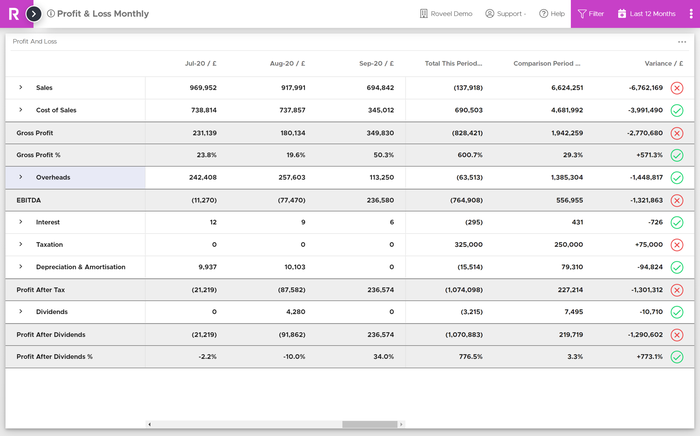
- Follow the trail: click through to transactional detail in just a couple of steps
- See what’s driving performance: customers, products, dates, regions… the insights are right there
- Faster decisions: spend less time searching and more time acting
- From high-level KPIs to the smallest detail, Roveel connects the dots so you can understand why your numbers are changing, not just what they show.
- Uncover answers instantly: no more exporting or manual digging
Filter Tool
Use Roveel's filter bar to instantly split down specific individual or multiple customers and products.
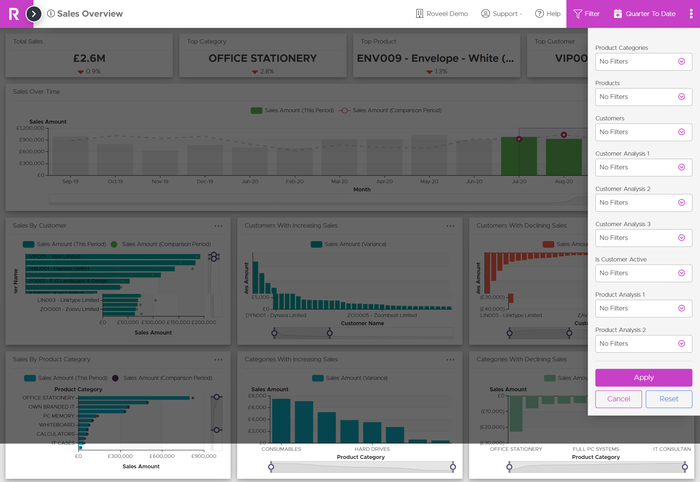
- Apply and adjust filters instantly - no complex setup
- Perfect for quick comparisons and deep analysis
- See insights update in real time as you refine your view
- Target individual or multiple customers and products with ease
Instantly Share
Quickly share your data with your colleagues (must be registered Roveel users). The share function will send across all filters applied so the recipient see's what you have seen.

- Fast, secure collaboration across teams and departments
- Send your filtered view: all applied filters are included, so they see precisely what you see
- No exporting or screenshots: share live, interactive dashboards
- Keep everyone aligned: decisions stay consistent and informed
- Make insight-sharing effortless and keep your whole business on the same page.
Advanced Date Comparisons
Roveel's versatile date picker and filter tools provide an easy way to navigate through the data. Instantly populate the dashboards using the criteria you need to see.
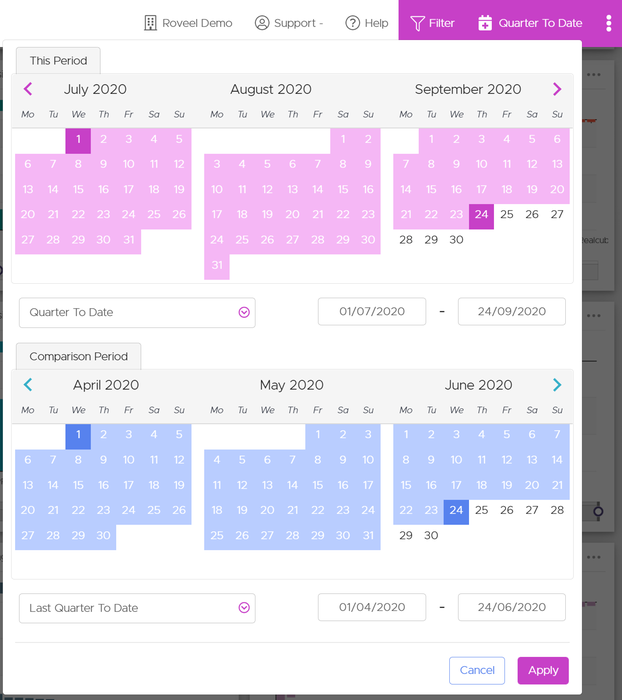
- Compare periods effortlessly: week-on-week, month-on-month, year-on-year
- Custom date ranges: select any timeframe to uncover trends and patterns
- Real-time updates: dashboards refresh instantly as you adjust dates
- Spot insights fast: quickly understand performance, seasonality, and growth
- Roveel puts the power of time-based analysis at your fingertips, helping you make smarter, data-driven decisions.
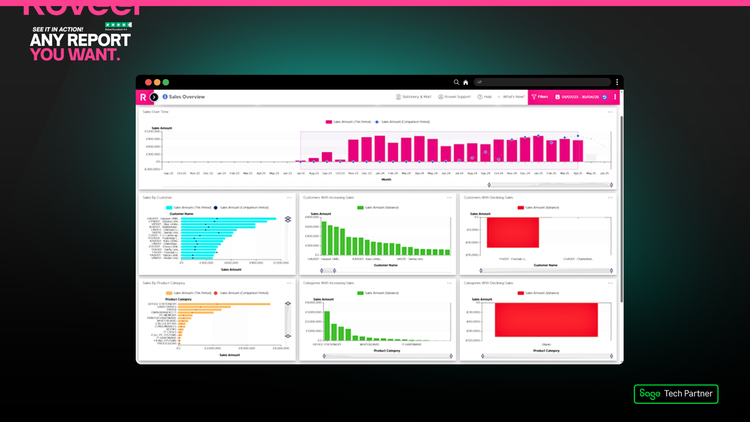
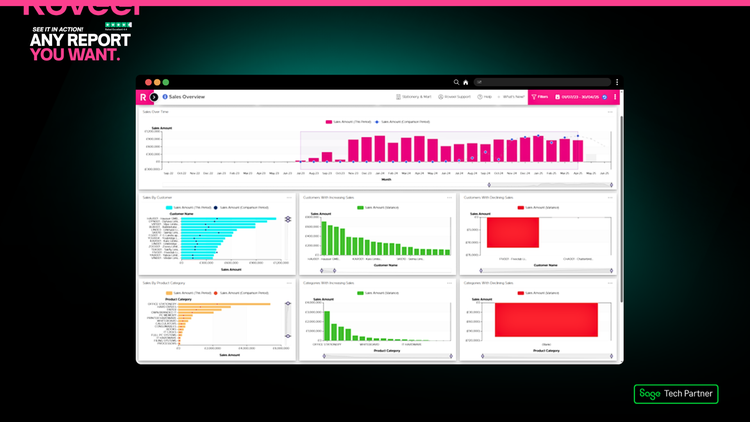
Sales
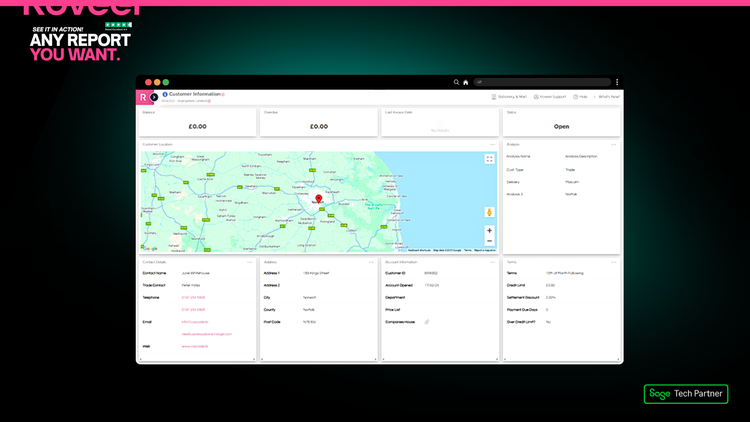
Customer, Products and Product Categories by Total, Increasing and Decreasing Sales, Individual Products and Customers’ Sales & Information
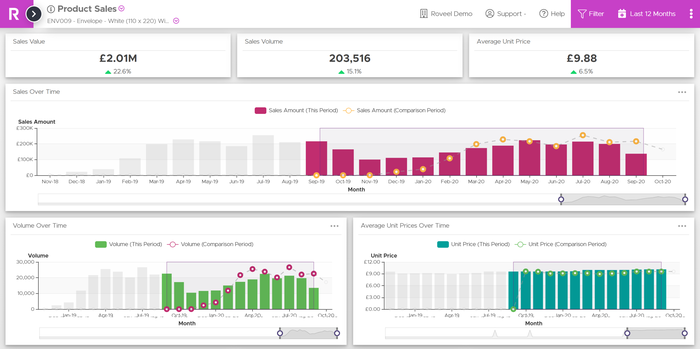
- Customer, Product & Category Sales: view totals and trends at every level
- Increasing & Decreasing Sales: quickly spot what’s performing and what’s slowing down
- Individual Product & Customer Details: drill down to see specific transactions and insights
- Interactive dashboards: filter, sort, and explore sales data in real time
- Make informed decisions faster by seeing exactly where your revenue is coming from and where opportunities lie.
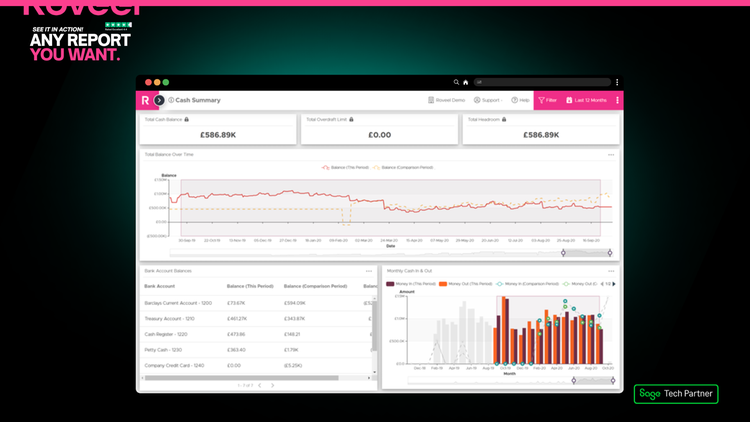
Cash
Total Cash Analysis, Cash Balance Comparisons, Monthly Cash in and out.
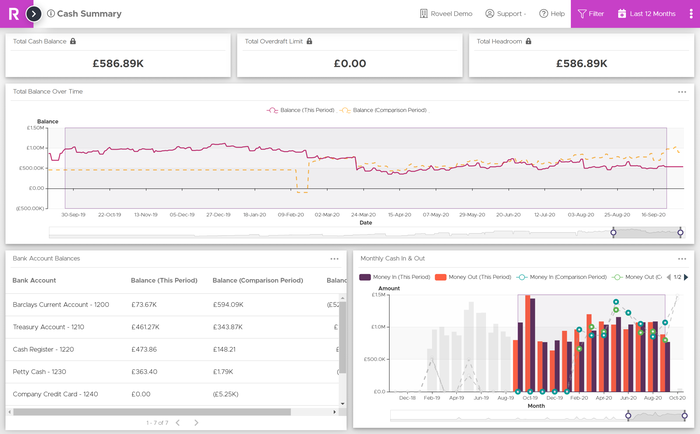
- Monthly Cash In & Out: track inflows and outflows to understand financial health
- Total Cash Analysis: get an overview of your business’s liquidity in real time
- Cash Balance Comparisons: instantly compare balances across periods to spot trends
- Stay in control of your finances with clear, actionable cash insights delivered directly through your dashboards.
- Interactive dashboards: drill down into transactions to uncover the story behind the numbers
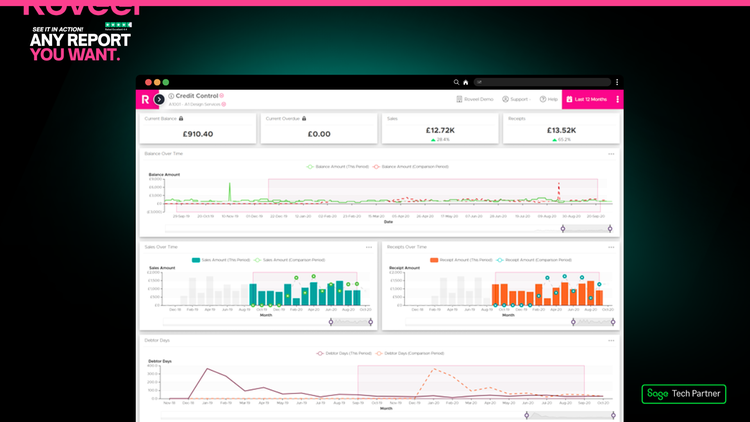
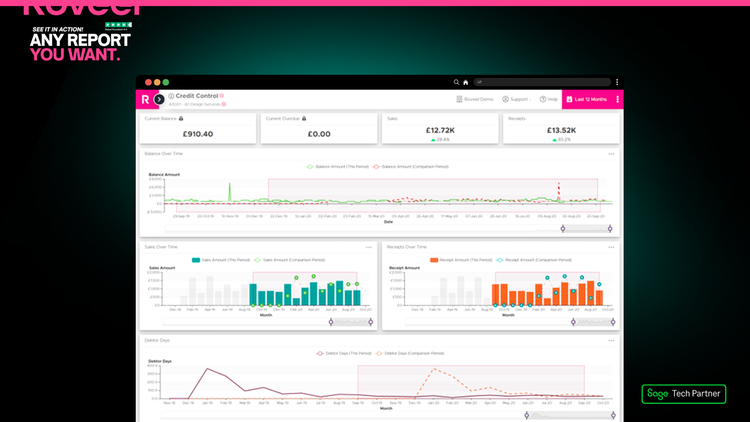
Credit Control
Credit Balance, Sales and Receipts Over Time Comparison, Debtor Days
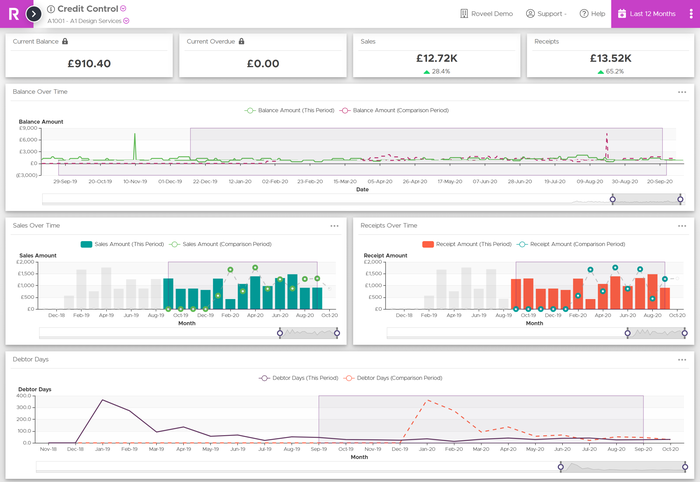
- Credit Balances: see exactly how much each customer owes
- Sales & Receipts Over Time: compare inflows and outflows to spot trends
- Debtor Days Analysis: track how quickly customers are paying
- Interactive dashboards: drill down to individual customers for detailed insights
- Take control of your credit, reduce risk, and improve cash flow with Roveel’s powerful credit control tools.
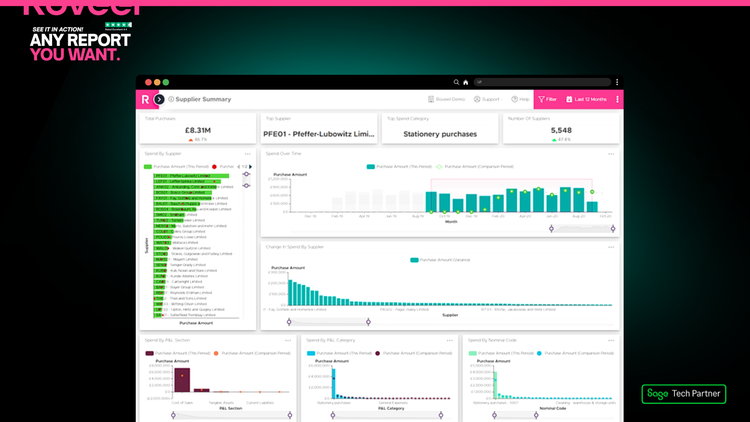
Purchases
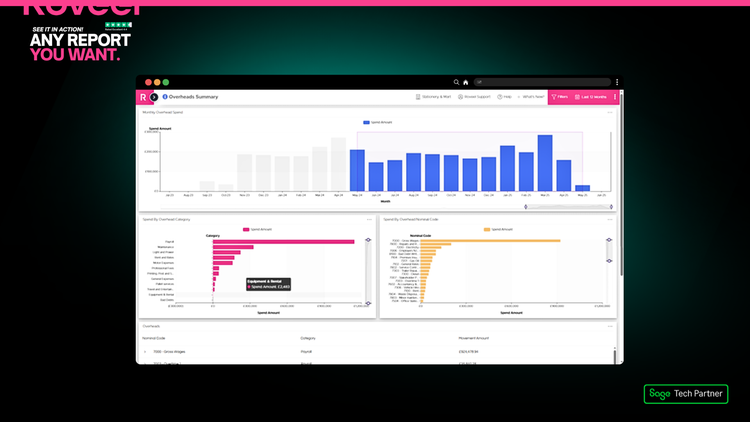
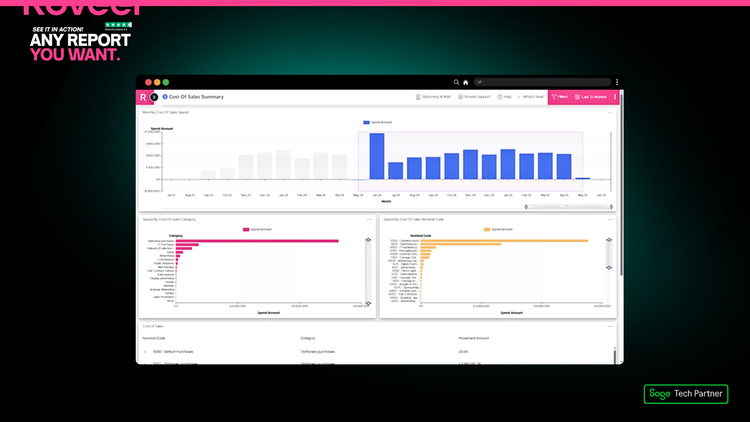
Change in Spend, Cost of Sales, Overheads Analysis
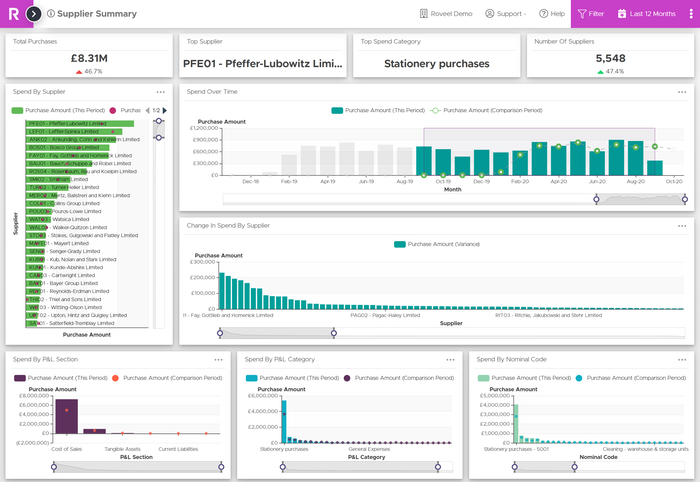
- Gain full visibility of your business expenditures and make smarter purchasing decisions with Roveel.
- Interactive dashboards: drill down into suppliers, products, or categories for detailed insights
- Overheads Analysis: monitor and manage indirect costs efficiently
- Cost of Sales Analysis: see the direct impact of purchases on your margins
- Change in Spend: track how your purchase costs evolve over time
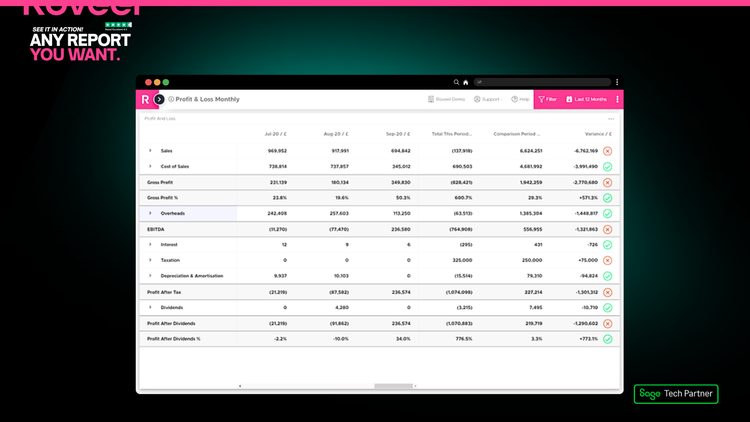
Profit and Loss
Quickly analyse your Profit and Loss account across any date range and analyse by department. Right click and drill into the transactions of any number on the Profit and Loss.
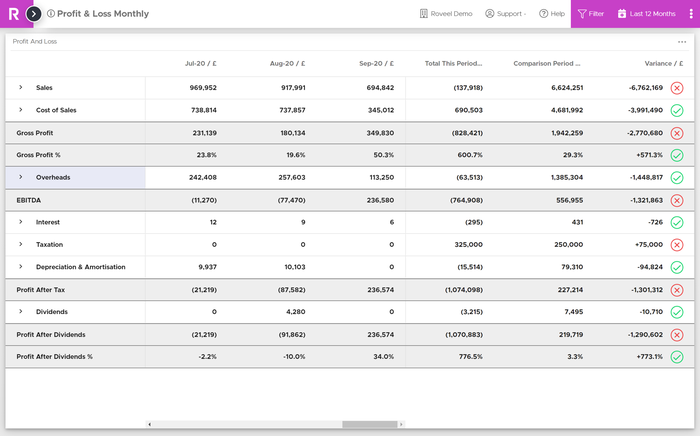
- Flexible date ranges: analyse profit and loss over any period
- Department-level insights: break down performance by department or cost centre
- Drill into transactions: right-click any number to see the underlying details
- Interactive dashboards: visualise trends and spot issues instantly
- Quickly gain clarity on your business performance and make informed decisions with Roveel’s powerful Profit and Loss tools.
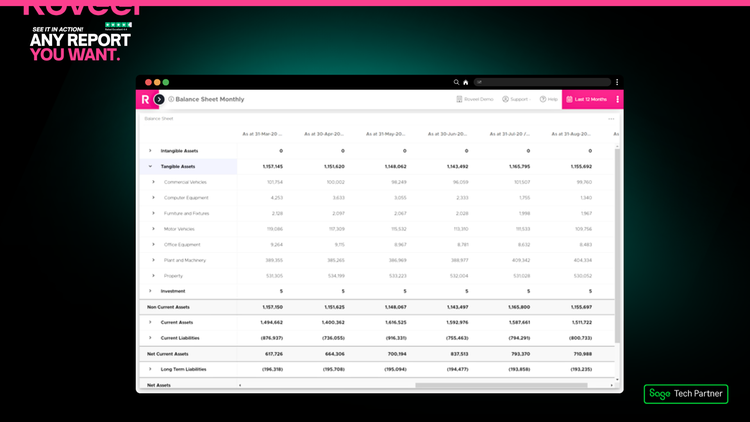
Balance Sheet
Drill into your Balance Sheet, filter by Department, drill into the underlying transactions and export to CSV.
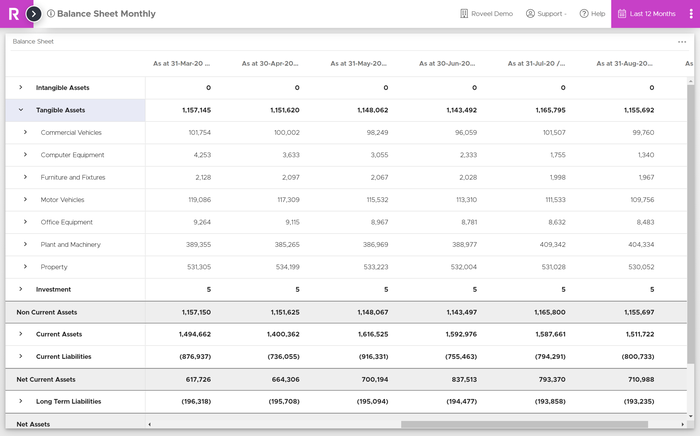
- Drill into any item: see the underlying transactions behind each figure
- Filter by Department: analyse balances for specific parts of your business
- Export to CSV: easily share or manipulate your data outside Roveel
- Interactive dashboards: navigate and explore your Balance Sheet quickly
- Gain complete clarity and confidence in your financials with Roveel’s Balance Sheet tools.
Similar Apps

9Spokes
9Spokes provides you with meaningful, personalized and shareable insights that help drive your business forward. Powered by your data, we help steer you towards your next move to reach your business goals.
9Spokes

Castaway Advisor Edition
Castaway is a powerful reporting and business modeling solution. It's powerful 3-way reporting and business modeling approach retains the integrity of your forecasts with double-entry accounting. With beautiful reports and stunning dashboards, Castaway helps you and your clients forecast for the future and stay ahead.
Castaway Advisor Edition

Helm
Helm provides you with the numbers you need in real-time so you can make quick and confident business decisions, without spending hours creating budgets and forecasts in spreadsheets.
Helm

Joiin
Consolidated financial reporting made easy - manage your multi-entity and multi-currency group consolidations with Joiin. Create great looking custom reports and management reporting packs from your Sage financial data. ADDITIONAL KEYWORDS: Syft Analytics
Joiin

LiveCosts
LiveCosts simplifies construction cost management for SMBs by tracking project costs, reducing manual entry, and monitoring project budgeting and ultimately helping businesses improve financial clarity and control.
LiveCosts

Phocas Analytics
Phocas Analytics is a cloud-based data analytics solution designed for the everyday user. While Sage provides you with an operational view of your business, Phocas enhances your level of insight - with an ability to perform trend analysis or provide high-level data-driven and actionable intelligence. Building dashboards is straightforward but what sets Phocas Analytics apart is it's ad-hoc analysis layer - unlike other tools, people can move from the Phocas dashboard to underlying business data transactions.
Phocas Analytics

Prophix
Prophix cloud software transforms planning, reporting & forecasting manual efforts with automation. Drive strategic decisions with scenario planning and insight.
Prophix

Syft Analytics
Syft Analytics is the award-winning interactive & collaborative financial reporting tool. From simple reports through to integrated forecasts, businesses and accountants use Syft to create, collaborate and explore beautiful financial reports. 9 out of 10 users say Syft is easier to use than other reporting solutions. Join 100,000+ businesses that choose Syft with a 14-day free trial.
Syft Analytics

True Sky
True Sky offers a comprehensive solution for companies seeking to enhance their budgeting, planning, forecasting, and reporting processes. Strategy Budgeting Planning Reporting Dashboarding Business Intelligence